

Getting started
-
Install the VS Code extension
Install the TypeMF Instance Editor from the Visual Studio Marketplace. It depends on the TypeMF Runtime extension, which VS Code installs automatically.
-
Create your first model
Create a file with the
.ecoreextension, for examplemodel/library.ecore, and start editing it in VS Code.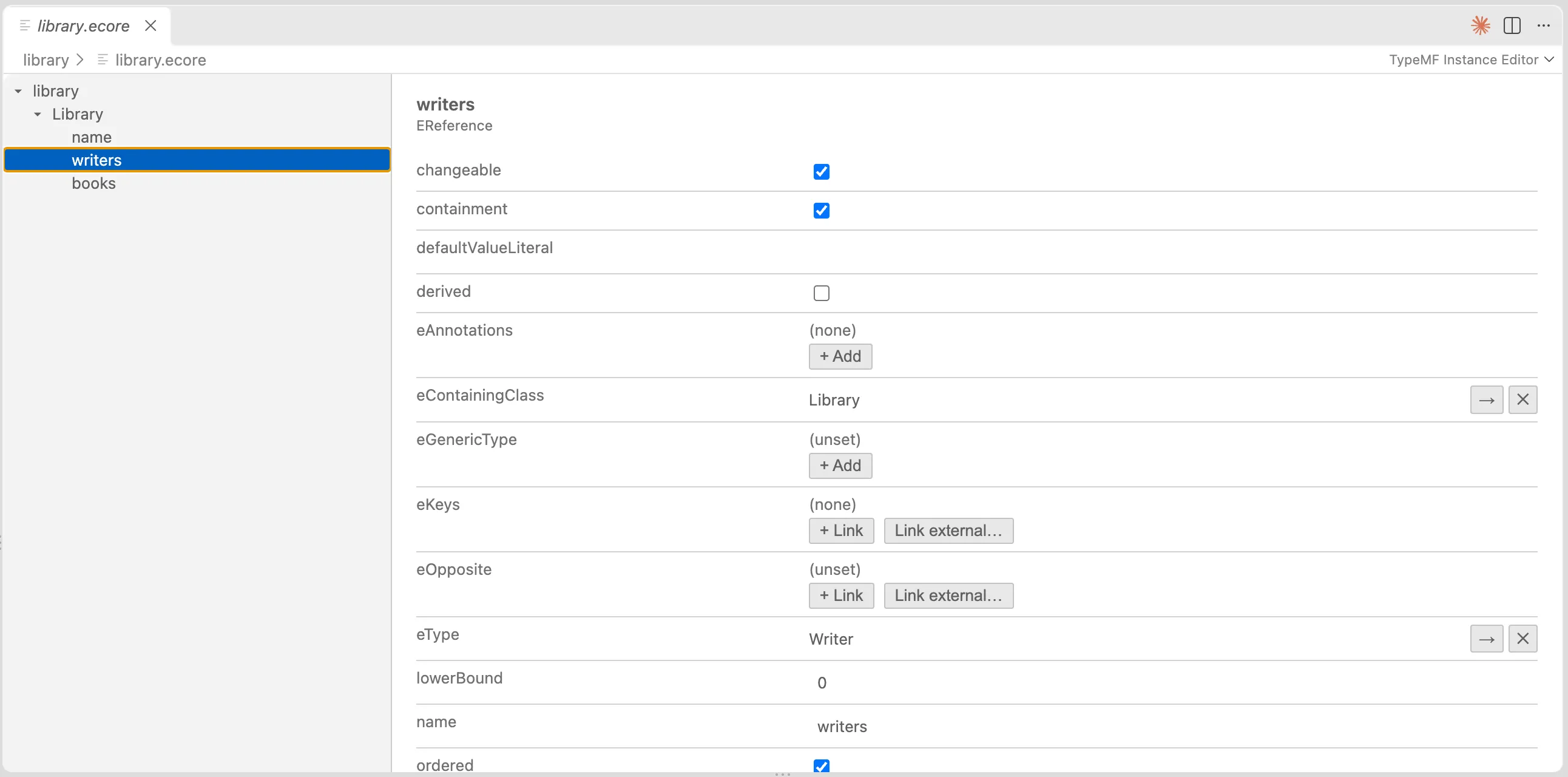
-
Install the generator
Terminal window npm install @typemf/corenpm install --save-dev @typemf/generator -
Add a generator config
Create
typemf-generator.config.jsonnext to your project. Paths are relative to the config file.{"ecoreFile": "./model/library.ecore","outputDir": "./src/generated","templateSet": "typescript","options": {}}typescriptis currently the only template set. -
Run the generator
Terminal window npx typemf-generatePass a path to use a different config file:
npx typemf-generate path/to/config.json.
What gets generated
Section titled “What gets generated”For an Ecore package library with the classes Library, Writer and Book:
LibraryPackage.ts package interfaceLibraryFactory.ts factory interfacetypes/Book.ts one interface per classimpl/BookImpl.ts one implementation per classimpl/LibraryPackageImpl.tsimpl/LibraryFactoryImpl.tsutil/LibrarySwitch.ts visitor with supertype fallbackutil/LibraryTypeGuards.tsAll files are regenerated on every run, so don’t edit them. To customize a class, subclass its Impl class and pass a factory that creates your subclass to LibraryPackageImpl.init(factory), before anything accesses LibraryPackageImpl.eINSTANCE.
The Library model
Section titled “The Library model”The examples use a small model: a Library contains Writers and Books, and Writer.books and Book.author are opposites. You can open the library.ecore in the Instance Editor.
Load and save a model
Section titled “Load and save a model”The generated package works with @typemf/xmi, which reads and writes the EMF XMI format. Install the serialization and Node.js packages:
npm install @typemf/xmi @typemf/nodeimport { EcorePackageImpl, ResourceSetImpl, URI } from '@typemf/core';import { NodeFileUriConverter } from '@typemf/node';import { registerXmiFormat } from '@typemf/xmi';import { LibraryPackageImpl } from './generated/impl/LibraryPackageImpl.js';import type { LibraryFactory } from './generated/LibraryFactory.js';import type { Library } from './generated/types/Library.js';
EcorePackageImpl.eINSTANCE; // initialize Ecore before your own packageconst pkg = LibraryPackageImpl.eINSTANCE;
const resourceSet = new ResourceSetImpl();resourceSet.getUriConverterRegistry().register(new NodeFileUriConverter());registerXmiFormat(resourceSet.getResourceFactoryRegistry());resourceSet.getPackageRegistry().register(pkg);
const resource = await resourceSet.getResource( URI.createFileURI('/absolute/path/to/library.xmi'), true,);const library = resource!.getContents().get(0) as Library;
for (const writer of library.getWriters()) { console.log(writer.getName(), writer.getBooks().toArray().map((b) => b.getTitle()));}
const factory = pkg.getEFactoryInstance() as LibraryFactory;const book = factory.createBook();book.setTitle('Children of Dune');book.setAuthor(library.getWriters().get(0)); // also adds the book to the writer's bookslibrary.getBooks().add(book);
await resource!.save();Notes:
- Initialize
EcorePackageImpl.eINSTANCEbefore your own package, otherwise the package fails to construct. - Register the
EPackageof every namespace used in a file before you load it. - File URIs must be absolute. A document needs exactly one root object.
Opposites and containment
Section titled “Opposites and containment”References behave as in EMF. Setting one end of a bidirectional reference updates the other, and adding an object to a new container removes it from the old one.
import { EcorePackageImpl } from '@typemf/core';import { LibraryPackageImpl } from './generated/impl/LibraryPackageImpl.js';import type { LibraryFactory } from './generated/LibraryFactory.js';import type { Library } from './generated/types/Library.js';
EcorePackageImpl.eINSTANCE;const factory = LibraryPackageImpl.eINSTANCE.getEFactoryInstance() as LibraryFactory;
const writer = factory.createWriter();const book = factory.createBook();
book.setAuthor(writer);writer.getBooks().size(); // 1, the opposite was updated
const city = factory.createLibrary();const campus = factory.createLibrary();city.getBooks().add(book);campus.getBooks().add(book); // moves the bookcity.getBooks().size(); // 0(book.eContainer() as Library) === campus; // true
Try it with the Library example: the .ecore model and a sample library.xmi.